
The Correct Diagram for Deco Mesh WiFi in Router Mode
Run ” CMD” as Administrator, the run the command:
wmic path SoftwareLicensingService get OA3xOriginalProductKey
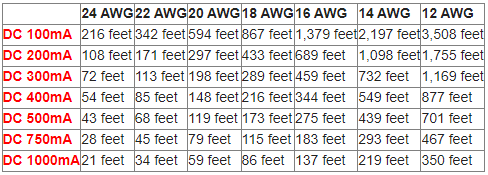
The below DC voltage drop cable distance chart works as follows. The left column notes the amount of power that the device you are powering requires (red text). The “mA” after the number stands for milli-amps. For example, say you are using a CCTV camera that requires max 300mA. Using 18 gauge power cable, you can run your cable up to 289 feet.

This is an intentional limitation to reduce cellular broadband bandwidth usage. If you require more than 5 minutes of Live View, we recommend adding your device via IP Domain on the Hik-Connect app with port forwarding.
Source: https://supportusa.hikvision.com/support/solutions/articles/17000128663-why-do-my-cameras-time-out-after-5-minutes-when-using-hik-connect-
Starting January 1, 2023, Arlo is implementing an EOL policy for its products and services, with the Generation 3 (VMC3030) and Pro (VMC4030) cameras being affected on April 1, 2023. These cameras were released in 2014 and 2016, respectively. The EOL of the Generation 3 (VMC3030) and Pro (VMC4030) cameras means that certain features of, and support for, these cameras will become unavailable, including 7-day cloud storage, firmware updates, and email notifications. (Source: https://kb.arlo.com/000063018/Arlo-Legacy-Cameras-End-of-Life)
Event viewer–>Applications and Services Logs–>Microsoft–>Windows–>TerminalServices-RemoteConnectionManager
Operational
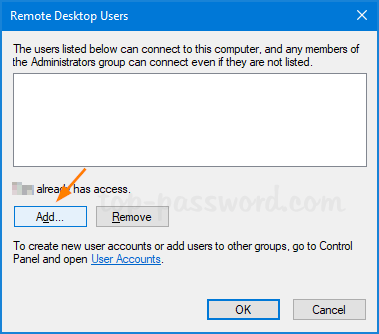
For example, when you enable the RDP on you office Windows 10 Pro PC and allow your laptop or home PC to access it via RDP, make sure you do the following steps:
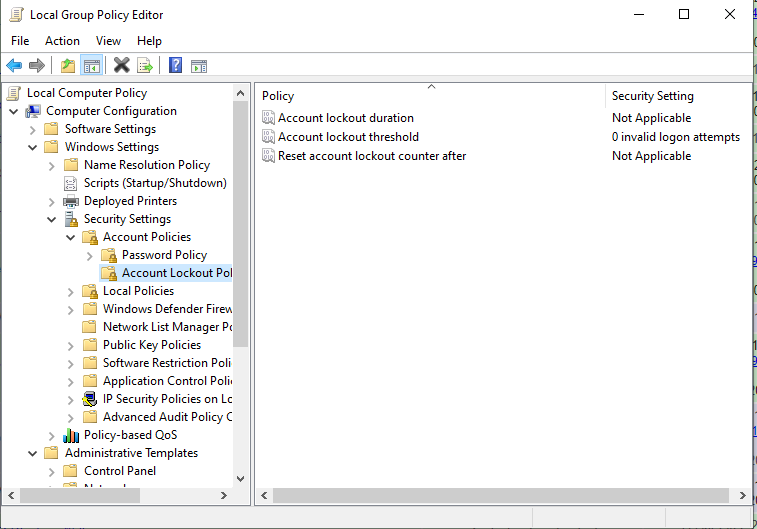
6. Remove all default allowed users and create new one
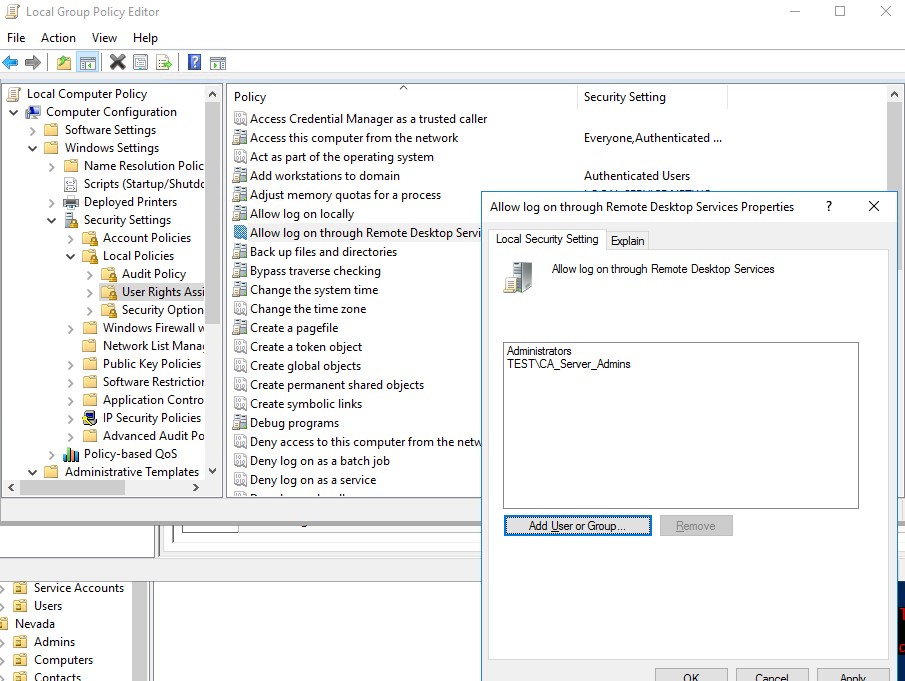
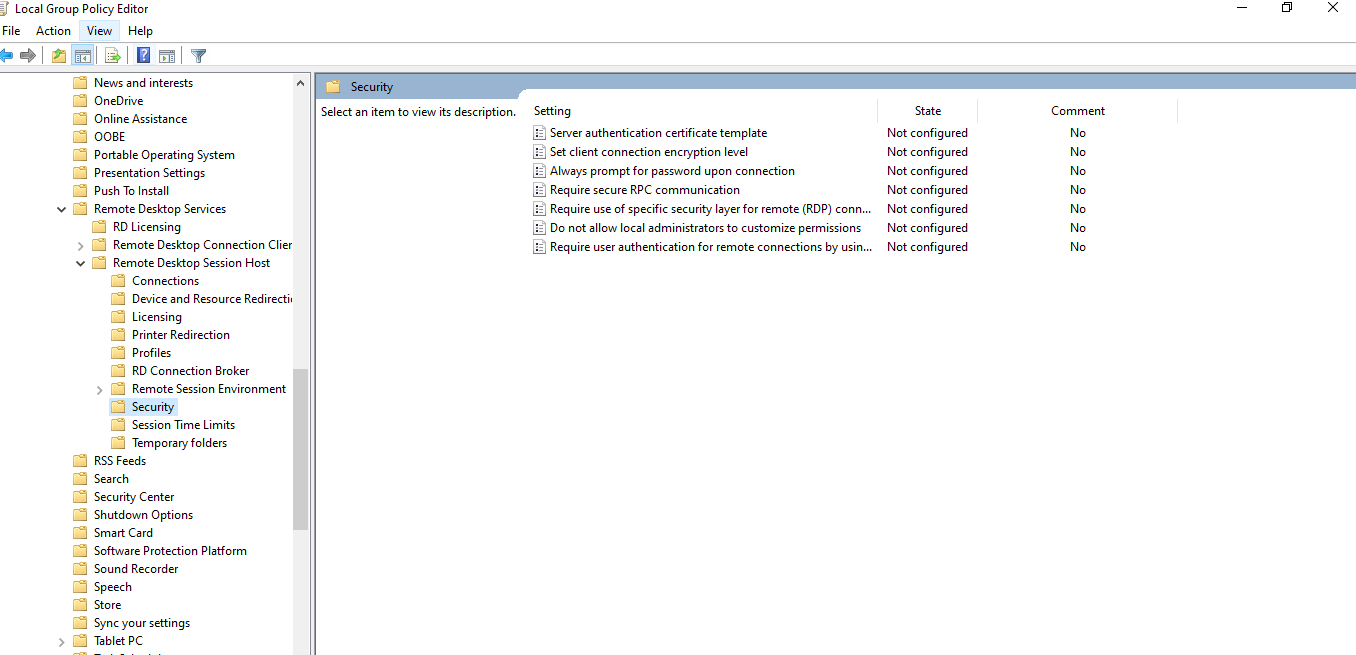
7. Improve the login security. (gpedit.msc, Computer Configuration-Administrative-Windows Components-Remote Desktop Services-Remote Desktop Desktop Session Host-Security)
Source: https://techcommunity.microsoft.com/t5/windows-kernel-internals/windows-sandbox/ba-p/301849

Windows Sandbox is a new lightweight desktop environment tailored for safely running applications in isolation.
How many times have you downloaded an executable file, but were afraid to run it? Have you ever been in a situation which required a clean installation of Windows, but didn’t want to set up a virtual machine?
At Microsoft we regularly encounter these situations, so we developed Windows Sandbox: an isolated, temporary, desktop environment where you can run untrusted software without the fear of lasting impact to your PC. Any software installed in Windows Sandbox stays only in the sandbox and cannot affect your host. Once Windows Sandbox is closed, all the software with all its files and state are permanently deleted.
Windows Sandbox has the following properties:
Part of Windows – everything required for this feature ships with Windows 10 Pro and Enterprise. No need to download a VHD!
Pristine – every time Windows Sandbox runs, it’s as clean as a brand-new installation of Windows
Disposable – nothing persists on the device; everything is discarded after you close the application
Secure – uses hardware-based virtualization for kernel isolation, which relies on the Microsoft’s hypervisor to run a separate kernel which isolates Windows Sandbox from the host
Efficient – uses integrated kernel scheduler, smart memory management, and virtual GPU